UAE Emirates ID Status Check Online 2026 – Track, Understand & Resolve
The ICP website at icp.gov.ae gives you your Emirates ID status in under 60 seconds — enter your PRAN number or Emirates ID number, click Check, and your current status appears on screen instantly.
This guide covers all five official check methods, explains exactly what every status message means, and tells you step by step what to do if your status shows Waiting for Residency Issue, Returned for Modification, or Rejected to Receive.
Quick Answer: Go to icp.gov.ae → enter your PRAN number (for new applications) or Emirates ID number (for renewals) → click Check → your status appears instantly. No registration or login required.
All Emirates ID Status Check Methods at a Glance 2026
Method
What You Need
Best For
Available
ICP Website (icp.gov.ae)
PRAN or Emirates ID number
All users — fastest online method
24/7
ICP Smart Services Portal
PRAN or Emirates ID number
Detailed application history view
24/7
UAEICP App
UAE Pass or email
On-the-go check + push notifications
24/7
Helpline 600 522222
PRAN or Emirates ID number
No internet access
24/7
Passport Number Check
Passport number + expiry + nationality
New applicants without PRAN
24/7
Table of Contents
Step-by-Step Guide to Check Emirates ID Status
Method 1: Check Emirates ID Status on the ICP Website (Fastest Method)
The ICP website at icp.gov.ae is the official, most reliable method — updated in real time every time your application moves to a new stage. You do not need an account or login to use it.
What you need before you start:
Your PRAN number — this is your Application Number, printed on your Emirates ID application receipt from the typing centre. It starts with your emirate code: Abu Dhabi applications begin with 201, Dubai with 101. Enter it without hyphens.
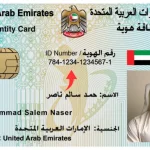
OR your Emirates ID number — for renewal and replacement applications only. This is the 15-digit number on your existing card, entered without hyphens.
Steps:
Scroll below the status result to see the Application History Log — a full record of every stage your application has passed through, not just the current status
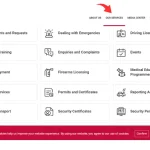
Go to icp.gov.ae — look for the “Check Application Status” box on the right side of the homepage
Enter your PRAN number for a new application, or your Emirates ID number for a renewal or replacement
Complete the CAPTCHA verification if prompted
Click “Check”
Your current Emirates ID status appears immediately on screen Scroll below the status result to see the Application History Log — a full record of every stage your application has passed through, not just the current status
Tip for renewal applicants: If you used a PRAN number previously, your renewal application uses your Emirates ID number as the reference — not a new PRAN. Enter your existing ID number without hyphens.
Method 2: Check Emirates ID Status via ICP Smart Services
The ICP Smart Services portal at smartservices.icp.gov.ae offers a Quick Search box at the top of the page that lets you check status without any login. It accesses the same real-time database as the main ICP website.
Go to smartservices.icp.gov.ae/echannels/web/client/default.html#/login
Find the “Quick Search” box on the page
Enter your PRAN or Emirates ID number
Tick the “I am not a robot” box
Click the “Inquiry” button
Your Emirates ID status appears on screen
Note: The Smart Services portal and the main ICP homepage access the same system. If one shows an error, try the other. ICA.GOV.AE was the old name for this system — it now redirects to icp.gov.ae.
For a full guide to everything available on the ICP Smart Services platform, see our dedicated ICP Smart Services guide.
Method 3: Check Emirates ID Status via the UAEICP App
The UAEICP app is available on iOS (Apple App Store) and Android (Google Play Store). In 2026, it supports UAE Pass login — the UAE government’s unified digital identity platform — making registration faster than ever for existing UAE residents.
Steps for UAE Pass users (recommended):
Download the UAEICP app from the App Store or Google Play
Open the app and tap “UAE Pass” on the welcome screen
Authenticate using your UAE Pass credentials
Your Emirates ID status, validity dates, and application stage appear immediately on the personal dashboard
Enable push notifications in the app settings — you will receive an automatic alert the moment your status changes, without needing to check manually
Steps for first-time users without UAE Pass:
Download and open the UAEICP app
Tap “Register” and enter your Emirates ID number
Verify your identity with the OTP sent to your registered UAE mobile number
Fill in your details and complete registration
Your status appears on the home dashboard once logged in
2026 update — Digital Emirates ID: The UAEICP app now stores your digital Emirates ID — a fully valid digital copy accepted at most UAE government service counters, banks, and many private sector entities since 2022. You no longer need to carry the physical card for most day-to-day transactions. Your digital ID is available in the app immediately after your residency visa is approved, even before the physical card is delivered.
Method 4: Check Emirates ID Status by Phone — ICP Helpline and Ask Hamad
ICP Helpline: 600 522222
Available 24 hours a day, 7 days a week across the UAE.
Dial 600 522222 from any UAE mobile or landline
Select your language — Arabic (press 1) or English (press 2)
Select the Emirates ID inquiry option from the automated menu
Enter your PRAN or Emirates ID number using your phone keypad when prompted
The automated IVR reads out your current status within seconds
Stay on the line to speak with a live ICP agent during business hours if you need further help
Ask Hamad — ICP Live Chat:
If your status shows an error or has been stuck for more than a week, the Ask Hamad live chat service on the ICP website gives you direct access to an ICP agent without visiting a centre.
Go to icp.gov.ae and look for the chat icon on the right side of the screen
Click “Ask Hamad”
Enter your first name, last name, email address, and request number (PRAN)
Click “Start Chat” to connect with an ICP agent
Describe your issue — the agent can manually check your file in real time
Method 5: Check Emirates ID Status with Passport Number
If you are a new applicant and do not have your PRAN number, you can check your Emirates ID status using your passport number through the ICP Smart Services File Validity section.
Go to smartservices.icp.gov.ae/Echannels/Web/Client/Default.Html#/FileValidity
Find the “Public Services” section on the page
Click on “File Validity”
Select “Passport Information” as the search type
Under “Select the Type,” choose “Residency” — this refers to your Emirates ID and residence visa status, not a separate residency application
Enter your passport number and passport expiry date
Select your nationality from the dropdown menu
Tick “I am not a robot” and click “Search”
Your Emirates ID and residency details appear on screen
Confused by “Residency” in this form? You are checking Emirates ID status but the form says Residency. This is correct — on the ICP system, your Emirates ID application is linked to your residency file. Selecting “Residency” retrieves both your visa and Emirates ID status in one result.
What Does My Emirates ID Status Mean? — All Status Messages Explained 2026
After you run your Emirates ID status check on the ICP website, one of these messages will appear on your screen. Each status has a specific meaning — and some require immediate action while others simply need patience. This table covers every status message users see on the ICP portal in 2026.
Status Message
What It Means
Typical Wait Time
What to Do
Application Received
ICP has received your application in the system
—
Wait — no action needed
Under Processing
Your documents are being verified. Biometrics may still be pending
3–7 business days
Wait. If unchanged after 10 days, call 600 522222
Biometrics Required
You have not completed fingerprint and photo registration at an ICP centre
Immediate action needed
Visit the nearest ICP Customer Happiness Centre with your passport
Under Quality Check
Application has passed processing and is being reviewed before printing
1–2 business days
Wait — no action needed
Under Printing
Your card is being physically printed
1–2 business days
Wait — card is almost ready
Card Printed / Card is Printed
Your card has been printed and handed to Emirates Post or Zajel for delivery
—
Expect an SMS from the courier with a tracking number
Card Printed is Done
Same as “Card Printed” — your card has been produced and sent to the delivery courier
—
Wait for SMS with tracking details
Dispatched
Your card is with the delivery courier heading to your registered address
2–5 business days
Track via the tracking number in your SMS — see Delivery section below
Ready for Collection
Your card is at your nearest Emirates Post office or collection point
Collect within 30 days
Visit Emirates Post with your original passport. Card returned to ICP after 30 days if uncollected
Approved
Application approved — card will proceed to printing shortly
1–3 business days
Wait — card will move to printing
Waiting for Residency Issue
Your residence visa has not yet been approved or shows as expired in the system
3–10 business days typically
Contact your employer or sponsor. Use Ask Hamad on icp.gov.ae. See full solution below
Returned for Modification
Data mismatch between your application and supporting documents
Immediate action needed
Visit nearest ICP Customer Happiness Centre with all original documents. See full solution below
Rejected to Receive
Application rejected — typically an unresolved objection
Immediate action needed
Visit ICP Customer Happiness Centre with all original documents and evidence
Transit
Card is in transit between ICP and the delivery courier
1–2 business days
Wait — no action needed
Cancelled / Deactivated
Emirates ID has been cancelled — usually linked to visa cancellation
—
If unexpected, call 600 522222 immediately
No Application Found
No record found for the number entered
—
Re-check your PRAN or Emirates ID number. If persistent, call 600 522222
Important: If your status has not changed for more than 10 business days, do not wait further. Call 600 522222 or use Ask Hamad on the ICP website to get a manual file check.
Emirates ID Status Problems — What to Do When Something Goes Wrong
“Waiting for Residency Issue” — What It Means and How to Resolve It
Seeing “Waiting for Residency Issue” on your Emirates ID status is not a rejection. It means the ICP system is waiting for your UAE residence visa to be approved and confirmed in the database before it can print your ID card. Your Emirates ID cannot be issued until your visa is fully processed.
Common reasons this appears:
Your employer or sponsor submitted the visa application but it has not yet been approved
Your residency visa has expired and is in the process of being renewed
A document in your visa application is missing or showing as incomplete
The system has not yet updated to reflect your recently approved visa
How to resolve it — 3 steps:
Contact your employer or sponsor and ask them to confirm whether the residency visa application has been submitted and whether it has been approved. Ask for the visa application reference number.
Use Ask Hamad live chat at icp.gov.ae — enter your PRAN number and explain your situation. An ICP agent can manually check your visa and Emirates ID file status and tell you specifically what is causing the delay.
If unresolved after 5 business days — visit the nearest ICP Customer Happiness Centre with your passport, visa copy, Emirates ID application receipt (PRAN number), and any document your employer has provided. Centre agents can manually clear delays that cannot be resolved online.
“Waiting for Residency Issue” typically resolves within 3–5 working days once the visa clears. Avoid making changes to your application while waiting — any update resets the processing clock.
“Returned for Modification” — What It Means and How to Fix It
“Returned for Modification” means there is a mismatch between the data entered in your Emirates ID application and the supporting documents you submitted. ICP cannot process your application until the discrepancy is corrected.
Common causes:
Name spelling difference between your passport and the application form
Wrong passport number entered during application
Date of birth entered incorrectly
Expired documents were uploaded at the time of application
Visa details do not match your current passport
How to fix it:
Compare your application form against your passport carefully — look specifically at your name spelling, date of birth, passport number, and nationality
Visit the nearest ICP Customer Happiness Centre or submit a correction through the ICP website’s online modification portal
Bring all original documents: passport, visa copy, and the application receipt with your PRAN number
Corrections are typically processed within 2–3 business days after the documents are verified
Status Shows “Approved” But Card Has Not Arrived
“Approved” means your application has been fully processed and approved by ICP — but the physical card has not yet been printed. It will move to printing within 1–3 business days.
If your status shows “Approved” and more than 10 business days have passed with no SMS about delivery, take these steps:
Check the ICP website again — your status may have progressed to “Card Printed” or “Dispatched” without an SMS notification reaching you
Confirm your registered UAE mobile number is correct by calling 600 522222 — if your number is wrong, you will not receive any courier SMS
If status still shows “Approved” after 10 business days, call 600 522222 with your PRAN number to request a manual check
Emirates ID Status Stuck — Not Updating for More Than 10 Days
If your status has not changed for more than 10 business days, the most common causes are:
Incomplete biometrics — fingerprinting and photo registration at an ICP centre was not completed. This is the most frequent reason. Without biometrics, your card physically cannot be printed.
Wrong mobile number registered — you are not receiving SMS updates, giving the impression nothing is happening
Document issue being reviewed internally — sometimes a discrepancy is flagged and held internally before appearing as “Returned for Modification”
What to do:
Confirm biometrics were completed — if not, visit an ICP Customer Happiness Centre immediately with your passport and PRAN receipt
Call 600 522222 and ask the agent to confirm your registered mobile number and check for any internal flags on your file
Use Ask Hamad live chat at icp.gov.ae for a real-time file review
If still unresolved after 15 business days — visit an ICP Customer Happiness Centre in person with all your original documents
Emirates ID Delivery Tracking — Emirates Post, Zajel and Tawzea
Once your status shows “Card Printed” or “Dispatched,” your card is on its way. Which courier delivers it depends on your emirate.
Delivery via Emirates Post (Most Emirates)
Emirates Post handles Emirates ID delivery in most UAE emirates outside Dubai. When your card is dispatched, you will receive an SMS from Emirates Post with a tracking number.
Track your delivery at emiratespost.ae → Track & Trace → enter the tracking number from your SMS
Delivery to your registered address takes 2–5 business days
If you miss the delivery: Emirates Post leaves a notification slip. Collect from your nearest branch with your original passport
Critical: Cards not collected within 30 days of being printed are returned to ICP. You must then visit an ICP Customer Happiness Centre to request re-dispatch — additional fees may apply. Do not delay collection.
Delivery via Zajel (Dubai — Primary Courier in 2026)
Zajel is now the primary Emirates ID delivery courier in Dubai. If you live in Dubai and your status shows “Dispatched” but no SMS arrives within 24 hours, check Zajel directly — delivery may have been assigned without an initial SMS notification.
Track Zajel deliveries at zajel.com or via the Zajel tracking app
Zajel typically delivers within 2–3 business days in Dubai
Delivery via Tawzea (Abu Dhabi)
Tawzea is the designated delivery entity in Abu Dhabi. The process is identical to Emirates Post — you receive an SMS with a tracking number on dispatch.
Track at tawzeaae.com
If you miss delivery, collect from the nearest designated Tawzea collection point in your area with your original passport
Emirates ID Renewal Status — How to Check Your Renewal Application
Checking Emirates ID renewal status uses exactly the same ICP website and methods above — but with one key difference: renewal applications use your existing Emirates ID number as the reference, not a PRAN number.
Enter your 15-digit Emirates ID number on the ICP Check Application Status page to track your renewal. Do not enter the hyphens.
Your renewal status follows the same progression as a new application — Under Processing → Under Quality Check → Under Printing → Card Printed → Dispatched. The same status meanings table above applies.
Key notes for renewal applicants:
Your Emirates ID renewal is processed together with your residence visa renewal — both are handled by your employer, sponsor, or typing centre at the same time
Your new Emirates ID expiry date will match your new residence visa expiry date exactly
If you renew with Etisalat (e&) or du, your mobile number registration does not update automatically when your new card is issued — you must update it separately at the carrier’s service centre after receiving the new card
Renewal processing time: 7–10 business days after the new visa is approved in the ICP system
For the full Emirates ID renewal guide including costs, documents required, and online renewal steps, see our Emirates ID Renewal guide.
How to Check Emirates ID Validity and Expiry Date
If you want to confirm when your Emirates ID expires rather than checking application status:
Go to icp.gov.ae and enter your Emirates ID number in the Check Application Status box
Your validity dates — issue date and expiry date — appear alongside your current status in the result
Alternatively: open the UAEICP app — your card expiry date is visible directly on the dashboard without running a separate search
Your Emirates ID expiry date and your residence visa expiry date are always identical — they expire on the same day. When your visa is renewed, your Emirates ID is renewed at the same time through the same application process.
Check UAE Visa Status Using Your Emirates ID
Your Emirates ID number can be used to check your UAE residence visa status through the ICP Smart Services portal. Go to smartservices.icp.gov.ae → Public Services → File Validity → enter your Emirates ID number and select “Residency” as the file type. This shows your visa details including issue date, expiry date, sponsor name, and visa type.
For a complete guide including how to check visa overstay fines, visa cancellation status, and visa type details, see our UAE Visa Status Check guide.
Emirates ID Fees and Card Validity — 2026
Your Emirates ID card’s validity period depends on your residency status and age. The card always expires on the same date as your residence visa.
Application Type
Card Duration
Fee (AED)
New / Renewal
1 Year
AED 250
New / Renewal
2 Years
AED 350
New / Renewal
3 Years
AED 450
UAE National
5 Years
AED 250
UAE National
10 Years
AED 350
GCC National
Standard
AED 450
Golden Visa Holder
10 Years
Per-year rate applied to full tenure
All fees above are ICP government fees. Typing centre service charges of AED 30–50 apply additionally when applying through a typing centre. Confirm the latest fees at icp.gov.ae before applying.
Express Emirates ID Service — Get Your Card Within 24 Hours
If you need your Emirates ID urgently, the Fawri express service delivers your card within 24 hours. Available for UAE nationals, GCC nationals, and expat residents requesting a replacement card.
Fawri is available at these ICP Customer Happiness Centres:
Al Jazeera and Khalifa City — Abu Dhabi
Al Barsha, Al Rashidiya, and Karama — Dubai
Madinat Zayed — Western Region
Al Ain Centre
Sharjah Centre
Ajman Centre
Fujairah Centre
Ras Al Khaimah Centre
Umm Al Quwain Centre
Visit any of these centres in person with your passport and application documents to request Fawri processing.
Why Your Emirates ID Is Essential for Life in the UAE
Your Emirates ID is not just an identity document — in 2026 it is the foundation of your entire digital presence in the UAE. It is legally required for:
Opening a bank account or applying for credit
Registering a SIM card with any UAE mobile operator
Signing a tenancy contract or accessing rental housing
Applying for a job — employers cannot process your application without a valid ID
UAE Pass registration — your Emirates ID is the identity anchor for the UAE government’s unified digital services platform, which is now required for MOHRE, GDRFA, DHA, and most municipal online services
Healthcare — insurance providers require your Emirates ID number to process medical claims and hospital visits
UAE nationals require a valid Emirates ID to vote in Federal National Council elections
How to Apply for Emirates ID in the UAE — Overview
Getting your Emirates ID involves four main steps, all of which occur as part of the UAE residency visa process:
Your employer, free zone, or sponsor submits your residency visa application through GDRFA or ICP
You attend a medical fitness test at an approved Preventive Medicine Centre
You visit an ICP Customer Happiness Centre for biometric registration — fingerprinting and eye scan — required for first-time applicants and those who have not registered biometrics before
Your visa is approved, your Emirates ID is processed and printed, and delivered to your registered address
Frequently Asked Questions — Emirates ID Status Check 2026
How do I check my Emirates ID status online?
Go to icp.gov.ae and enter your PRAN number (for new applications) or your Emirates ID number (for renewal or replacement) in the “Check Application Status” box. Click “Check.” Your current status and application history appear instantly. No login is required. The same check is available via the UAEICP app and by calling 600 522222.
What information do I need to check my Emirates ID status?
For a new application: your PRAN number (Application Number) printed on your receipt from the typing centre. For a renewal or replacement: your existing 15-digit Emirates ID number. Enter both without hyphens. If you have neither, you can check using your passport number through the ICP Smart Services File Validity section.
What does “Under Processing” mean on Emirates ID status?
It means your application has been received by ICP and your documents are being verified. Biometric registration may also still be pending. No action is needed unless this status has not changed for more than 10 business days — in that case, call 600 522222 to check for any issues with your file.
What does “Card is Printed” or “Card Printed is Done” mean?
Your physical Emirates ID card has been manufactured by ICP and handed to the delivery courier — Emirates Post, Zajel (Dubai), or Tawzea (Abu Dhabi). You will receive an SMS with a tracking number shortly. Delivery typically takes 2–5 business days to your registered address.
What does “Waiting for Residency Issue” mean and how do I fix it?
It means your residence visa has not yet been confirmed as approved in the ICP system. Your Emirates ID cannot be printed until your visa is fully processed. Contact your employer or sponsor to confirm visa submission status. Use the Ask Hamad live chat at icp.gov.ae for a manual file check. Most cases resolve within 3–5 working days once the visa clears. This is not a rejection.
What does “Returned for Modification” mean?
There is a data mismatch between your application form and your supporting documents — typically a name spelling difference, wrong passport number, or expired documents. Visit the nearest ICP Customer Happiness Centre with all original documents including your passport and PRAN receipt. The correction typically takes 2–3 business days after documents are verified.
What does “Rejected to Receive” mean?
Your application has been rejected — usually due to an unresolved objection or documentation issue that was not corrected after a Returned for Modification status. Visit an ICP Customer Happiness Centre with all original documents and supporting evidence. Do not ignore this status — unresolved rejections delay your entire residency process.
How long does Emirates ID take after the status shows “Card Printed”?
After “Card Printed” appears, delivery typically takes 2–5 business days to your registered address. Emirates Post and Tawzea (Abu Dhabi) take 3–5 days. Zajel in Dubai typically delivers within 2–3 days. You will receive an SMS with a tracking number when the card is dispatched. If no card arrives after 10 business days, call 600 522222 to confirm your registered address.
Can I check my Emirates ID status by passport number?
Yes. Go to smartservices.icp.gov.ae → Public Services → File Validity → select “Passport Information” and “Residency” → enter your passport number, expiry date, and nationality → click Search. Your Emirates ID and residency details appear on screen. This method works even if you do not have your PRAN number.
Can I collect my Emirates ID from anywhere once it is ready?
When your card is ready, you will receive an SMS or email with instructions. Cards delivered via Emirates Post must be collected from the branch that holds your card — bring your original passport. Cards not collected within 30 days are returned to ICP, requiring a visit to a Customer Happiness Centre to request re-dispatch.
How can I get my Emirates ID urgently within 24 hours?
Use the Fawri express service available at designated ICP Customer Happiness Centres including locations in Abu Dhabi, Dubai, Al Ain, Sharjah, Ajman, Fujairah, Ras Al Khaimah, and Umm Al Quwain. Visit the centre in person with your passport and application documents to request Fawri processing.
How long is my Emirates ID valid and how much does renewal cost?
Validity depends on your residency visa — your Emirates ID always expires on the same date as your visa. Residents on 1-year visas receive a 1-year card (AED 250). Two-year visas receive a 2-year card (AED 350). Three-year visas receive a 3-year card (AED 450). UAE nationals receive 5-year or 10-year cards. Renewal fees are the same as new application fees.
Can I track Emirates ID delivery via Zajel?
Yes. If you live in Dubai, Zajel is now the primary Emirates ID delivery courier. Track your delivery at zajel.com or via the Zajel app using the tracking number sent in your SMS.
I'm Haris Ali. I am resident of United Arab Emirates. I've been working with identification documents in UAE for over 8 years. I've gained valuable experience from working with various government authorities in the region, especially with documents like the Emirates ID.
In my free time, I enjoy playing cricket and exploring new destinations around the world.
2 thoughts on “UAE Emirates ID Status Check Online 2026 – Track, Understand & Resolve”
The information provided here is clear, well-organized, and tailored to help individuals understand visa requirements, processing times, and eligibility criteria.
The emphasis on simplifying visa applications, ensuring compliance with immigration laws, and providing up-to-date travel information makes this platform highly useful for tourists, business travelers, and expatriates.








The information provided here is clear, well-organized, and tailored to help individuals understand visa requirements, processing times, and eligibility criteria.
The emphasis on simplifying visa applications, ensuring compliance with immigration laws, and providing up-to-date travel information makes this platform highly useful for tourists, business travelers, and expatriates.
Hi i need my Emirates I’d urgent please